
3 Ways to Boost PC Performance

Welcome to our blog, where we’ll share four simple yet effective ways to give your PC a much-needed boost in performance. A sluggish computer can be incredibly frustrating whether you’re working, gaming, or simply browsing the web. But fear not. With these tips and tricks up your sleeve, you’ll soon have your trusty machine running at its best again. So let’s dive right in and discover how to optimize your PC for top-notch speed and efficiency.
Run a PC Cleaner Regularly
 Is your PC feeling bogged down lately? One of the simplest and most effective ways to give it a performance boost is by running a PC cleaner regularly. Over time, our computers accumulate unnecessary files, fragments, and registry entries that can slow them down considerably. A reliable PC cleaner can help you address these issues with just a few clicks. These handy tools scan your system for temporary files, broken shortcuts, unused programs, and other clutter that may be clogging up your hard drive. Removing this excess baggage from your computer’s storage space will free up valuable resources for more important tasks. Not only will this improve overall performance, but it can also lead to faster boot times and snappier application launches. If you want a good PC cleaner, make sure to check the Spyzooka Reviews.
Remove Temporary Files
When it comes to boosting your PC’s performance, one crucial step is removing temporary files. These files are created by various applications and processes on your computer and can quickly accumulate over time, taking up valuable storage space. Not only do they consume disk space, but they can also slow down your system. Removing temporary files is a simple yet effective way to free up space and improve the overall performance of your PC. First, you can use Windows’s built-in Disk Cleanup tool to scan for and delete unnecessary temporary files automatically. This tool allows you to select which types of files you want to remove, such as temporary internet files or setup log files.
Update Operating System
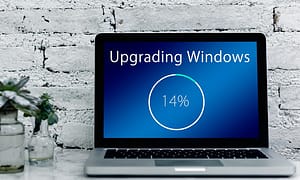 Updating your operating system is essential in boosting your PC’s performance. Operating system updates bring new features and fix bugs and security vulnerabilities that can slow down your computer. Updating the operating system ensures that you have access to the latest drivers for hardware components such as graphics cards or printers. These driver updates often come with performance improvements and bug fixes, allowing your PC to run more smoothly and efficiently. Updating the OS helps optimize resource allocation. Each update enhances memory management and CPU utilization, improving overall performance.
Taking proactive measures such as running regular PC cleaners, removing temporary files, updating the operating system, and practicing good hardware hygiene is key to maximizing the potential of your computer’s performance. So why wait? Start implementing these tips today and enjoy a faster and more efficient computing experience. We hope that you have found this blog post helpful.…


 Consoles don’t support as many competitions as PC. This way, you won’t miss out on more games. Third-party game publishers should not interfere with the performance of the platform. The speed and accuracy of games can be achieved by playing on the PC with a keyboard and mouse.
 Your gaming experience is enhanced by your computer hardware. On Play Station 4 or Xbox One, you will see a resolution between 720p and 1080p. This is the standard resolution used by televisions. So you can imagine the image quality you’ll get on your PC. You can choose both the hardware and the software you use on your PC. These features make PC gaming easier and more fun for users. These are not the only reasons to play PC games. You can play games on both a PC and a console to see the differences.…