The Best Accessories for Your Smartphone

smartphone

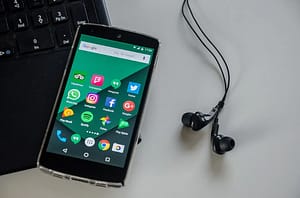
If you’re like most people, your smartphone is your go-to device for just about everything. You use it to stay connected with friends and family, get work done, and access information when you need it. But what about when your phone runs out of juice? Or when you need a bigger screen? That’s where complementary pieces of tech come in. So, now let’s discuss some of the best complementary pieces of tech for your smartphone.

Charger

chargerWhether you use Apple or Android, phone chargers are essential if we want to keep using our smartphones. Many iPhone users expressed their desire for a durable iPhone charger to be manufactured since the current chargers are very prone to breaking.

Coincidentally, Android users also wish for a fast charging adapter and durable and long-lasting cable. While there are many third-party chargers on the market, it is best to stick with the charger that came with your device to ensure compatibility.

External Battery Packs

Another essential piece of tech for smartphone users is an external battery pack. This is especially important if you use your phone a lot or if you’re always on the move, going from A to B.

No one wants their phone to die in the middle of the day, so a battery pack is such a great complementary piece of tech. There are a ton of different battery packs on the market, so it can be hard to decide which one is best for you.

A battery pack with a high mAh rating is one thing to look for. This will ensure that your phone will be fully charged after charging your battery pack. Another consideration is whether you need a battery pack that charges via USB-C or Micro-USB.

Tablet
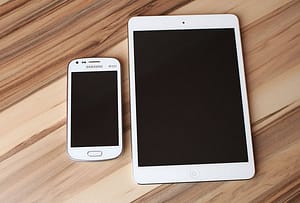
tabletWhile smartphones are great for on-the-go tasks, they can be limiting when it comes to more intensive work or when you need a bigger screen. In these cases, a tablet can be an excellent complementary piece of tech.

If you’re an Apple user, the iPad is a great option. And if you’re an Android user, the Samsung Galaxy Tab is a great choice. There are many different tablets on the market, so it’s essential to do your research and find the one that best suits your needs.

Smartwatch

A smartwatch can also be a great complementary piece of tech for your smartphone. This is especially true if you use your phone for fitness tracking or if you need to stay connected at all times.

Many different smartwatches are available on the market, so it’s crucial to find one that fits your needs and style. The Apple Watch is a great option if you’re an Apple user. And if you’re an Android user, the Samsung Gear S is a great choice.…


Five Best Applications to Boost Your Smartphone Performance

here are best apps to boost your phone performance

You may be impressed by the performance of your smartphone. Running a wide variety of games and programs, if you use an iPhone or Android, is much easier and faster nowadays. However, your phone may become unstable or drain the battery faster than necessary if you do not have these awesome applications.

Device problems often occur when a large number of applications or features are placed on an application simultaneously. Just like your computer, phone, or tablet requires regular checks to ensure optimal speed and performance. Some monitor the phone’s processing power and provide regular results. Here is an overview of some of the best applications that improve functionality.

smartphone boosting apps

AnTuTu Benchmark

Android OS lovers can examine the memory performance, chip speed, 3D rendering capabilities, and read/write speed of their phone’s memory card. You will see if your phone can play challenging games and analyze 2D rendering capabilities along with some additional results. You can compare the test results with different phones; the application lists very popular phones and regularly provides new benchmarks for cell phones. The interface is sleek and fully readable, with a bright display that contains your phone performance result.

CPU Tuner

In addition to using a series of preset profiles, you can use the program to create custom profiles that work when a certain state is activated. The CPU tuner allows you to optimize your phone’s performance setting by reducing the clock speed. Although this can slow down applications, you can probably use it to run basic and important programs without problems. This system allows users to set preferences and create their own. The flexibility, along with some cool profiles, makes this application an excellent addition to a list of applications that improve performance.

ROM Manager

smartphone apps to make your life easierWith Koushik Dutta’s ROM supervisor, you can give more style to an unlocked Android phone. It provides a smart user interface to deal with your ROMs, and sometimes offers fresh, customized ROMs and mods so you can get into new things from time to time.

The best part: you can set the famous CyanogenMod so that your frozen phone settings are completely restored. The ROM contains a new custom keyboard more precise than the phone’s one. The ROM also provides options to improve the CPU performance of your device. You can download it for free or purchase the premium version for additional features. It offers a huge collection of custom utilities and is a real must for many frozen phones users.

SD Speed Increase

Your phone is getting boring because of its low speed when transferring your file to your SD Card? Well, there is a solution to this problem in the form of a free application. That is SD Speed Increase has the simplest user interface. It changes the cache size only after each reboot, but you can avoid this by just choosing a small checkbox under the cursor. It can take you back to your favorite location when you reboot your phone.

Like previous applications, SD Speed Boost works only on consolidated devices, and it seems to work only on many phones. On the contrary, the speed variation is barely noticeable. Since it is completely free (with advertising support), you can try it on your unlocked device.

SetCPU

The most impressive part of this application is its ability to synchronize the processor settings. Lowering the clock frequency of a processor has its advantages. It can save battery life, although the performance of some high-end applications will decrease. On most devices, the program also allows you to optimize your phone’s voltage to conserve battery life.

With SetCPU, you can choose a preset profile under certain conditions to change the CPU settings. Depending on the selected profile, the application may overwrite or subscribe to the processor settings if you surf the web or if the CPU temperature is too high. The application provides your device with the necessary performance boost.…